6 Proven Ways To Fix SD Card Shows 0 Bytes Error

SD card shows 0 bytes usually occurs when you try to access your SD card, USB drive, pen drive, etc. Zero bytes indicate that there is no data in the storage drive. Since it pin pointing towards the data loss, it’s likely to get panic. But nothing to worry!

Today in this guide, I will show you how to fix SD card 0 bytes issue using 6 tested and tried methods. Also, you’ll get to know the common causes of this frustrating issue.

Read more

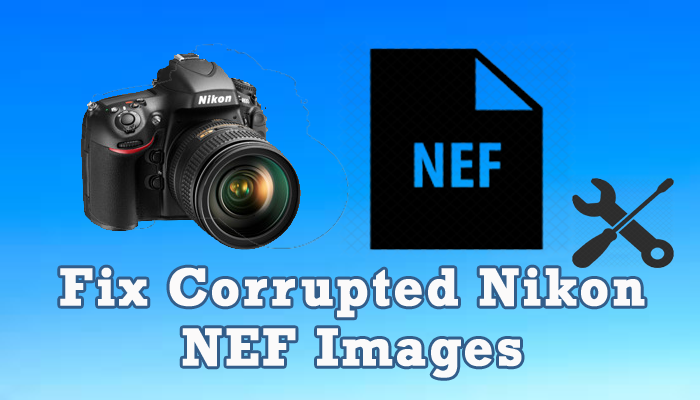
RAW NEF Repair – 6 Ways To Fix Corrupted Nikon NEF Images

NEF File Repair- 6 Ways To Fix Corrupted Nikon NEf Images

Not only photographers but most of us are also used to capture our valuable memories with Nikon digital camera. Though, at times the pictures stored within the camera might get corrupted because of unexpected reasons. Therefore in this article, we are going to specify the root causes of the NEF image corruption & put forward towards 6 NEF repair solutions to fix corrupted Nikon NEF images.

You can repair corrupted NEF files by opening the file in another image viewer, by downloading the Microsoft camera codec pack r by using the Nikon NEF Photo Repair Tool.

Read more

How To Fix AVI Index VLC Player – 4 Tested & Tried Ways

Fixing AVI Index VLC Player

If you can’t open or play your AVI video in VLC media player, it may be due to corrupted, broken or missing file index. But there is nothing to worry about. In this post, I have shared some of the most effective ways to fix AVI index VLC.

Read more

QuickTime Player Can’t Open MP4? 5 Quick Fixes

QuickTime Player Can't Open MP4

QuickTime is one of the popular multimedia player that supports a wide range of video file formats. However, at times when you try to play your MP4 file on QuickTime player, you might receive an error message “The document “abc.mp4” could not be opened. The file isn’t compatible with QuickTime Player.” So, why your QuickTime player can’t open MP4 on Mac and how do you fix this issue?

In this article, I am going to explain each and everything about QuickTime Player won’t play MP4 issue along with its 5 workable methods.

Read more

How To Fix ‘This Video File Cannot Be Played Error Code 232011’?

This Video File Cannot Be Played Error Code 232011

Videos are a vital part of our day-to-day life. It is very annoying when we can’t watch our favorite movies or videos on the browser due to playback errors. Recently, many users have reported that when they tried to play their favorite movie on a web browser they have experienced “this video file cannot be played error code 232011”.

Thus, if you are one of them, don’t worry as here we’ve gathered some proficient solutions to solve how to fix error code 232011.

You can fix video playback error by clearing the cache of the browser, disabling browser extensions, updating the browse, etc. In case, if your video file is corrupted, then you can use the Video Repair tool to repair corrupt video files.

So, let’s get started…

Read more

PSP Save Data Recovery: 4 Easy Methods To Recover Deleted Files From PSP Memory Stick

PSP Save Data Recovery: Recover Deleted Data From PSP Memory Stick

The PSP (PlayStation Portable) is a game console in which a memory stick is used to store stuff. But, like other memory sticks PSP memory stick is also prone to data loss. Thus, if have lost any of your media files from the PSP memory stick then this article will definitely be going to help you to perform PSP save data recovery. So, keep on reading this post and get the 4 best methods to recover deleted files from PSP Memory Stick.

You can recover deleted data from PSP memory stick through backup or by using the Photo Recovery tool.

Read more

MOV File Recovery- How To Recover MOV Files From Digital Devices

How To Recover Corrupted & Inaccessible MOV Files From External Storage Device

MOV is a popular video format which is developed by the Apple. Though, it supports both the OS: Mac & Windows systems. It is mainly used because of its better compression size & multiple device compatibility. But sometimes, it may happen that due to accidental deletion and virus attack your important MOV video files get deleted. Thus, if you have lost your .mov footage, then keep on reading this post. In this article, you will get 3 easy ways to recover MOV files from SD cards or other data storage media with ease.

Read more

[6 Ways] How to Remove Write Protection from USB Drive

The disk is write-protected. Remove the write protection or use another disk

USB flash drives/Pen drives are the most convenient way to transfer data from one device to another. However, at times while trying to copy or transfer data from USB, you often receive an error saying that “the disk is write protected”. This error message usually prevents you from adding, deleting or even making any changes to your storage device.

Read more

8 Ways To Fix Movie Recording Has Been Stopped Automatically Canon Camera

Movie Recording Has Been Stopped Automatically Canon Camera

Experiencing “movie recording has been stopped automatically” error on your Canon digital camera? If it is so, then read this post till the end and sort out this issue by yourself.

Recently many Canon DSLR and Canon Rebel T3i users have reported that they couldn’t record video after using the SD card as an external storage. Thus, if you’re one of them then stop worrying & keep on reading this article to learn how to fix the Canon camera stops recording video automatically.

You can fix video or movie recording stopped automatically error on Canon cameras by checking the SD card compatibility, modifying the recording resolution, controlling a camera’s bitrate, and formatting the memory card.

Read more